
 Sell Fries!
 Bunker vs Verity
 Facecard: Makeup Showdown
 Peel THE Potato
 Break and Steal an Egg
 Tap Simulator REBORN
 AION 2
 Chop A Forest
 Police Chief
 Prehistoric Farm
 Anime Zero
 Dandy's World
 Clash of Critters
 Illegal Soccer
 +1 Stone Skipping
 Jujutsu: Zero
 Blox Fruits
 Anime Vanguards
 Turbo Soccer
 Anime Dice
 Steal An Egg
 Murder Mystery 2
 Steal a Brainrot
 99 Nights in the Forest
 RIVALS
 Fish It!
 Jujutsu Shenanigans
 Pet Simulator 99
 Violence District
 DONT SPLASH
 Fisch
 Evade
 Animal Hospital (Anomaly)
 Anime Adventures
 Dress to Impress
 Climb For Animals Eggs
 Sol's RNG
 Bee Swarm Simulator
 Cameraman Tower Defense
 Volleyball Legends
 The Hollow
 Murderers VS Sheriffs: Duel
 +1 Speed Keyboard Escape
 DOORS
 Berry Avenue RP
 Kukirin Life
 Huss Valley
 Bike Universe
 Tower of Hell
 Ragdoll Reality
 LifeTogether RP
 Forsaken
 صيد الضبّان
 Emergency Hamburg
 Fling Things and People
 Realistic Ragdoll Engine
 Backseat Rally
 Fake an Egg
 +1 Venom Evolution
 Cat Battles
 Adopt Me
 Driving Empire
 BlockSpin
 Realistic Street Soccer
 Hypershot
 Attack on Titan Revolution
 BloxStrike
 Squid Game X
 RoFront
 Dead Rails
 Feed a Mosquito
 Creatures of Sonaria
 Ride a Dino
 Dreamville RP
 NFL Universe Football
 Blade Ball
 Sarab
 Murder Duels
 Ball VS Ball
 Grand Piece Online
 +1 Anime Eyes
 Piggy
 Tower Defense Simulator
 Grow a Garden
 Survive a Million Monkeys
 Ragdoll Playground
 Drag Drive Simulator
 Steel Fighters
 Ride A Pet
 Sniper Arena
 Blue Lock: Rivals
 PINKIE PROMISE
 Ink Game
 Slayers 2
 untitled boxing game
 A Dusty Trip
 7 Days Cat-Sitting
 Save the Krusty Krab
 +1 Upgrade Per Kill
 The Forge
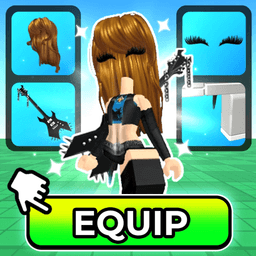 My Avatar!
 Warrior Cats: Ultimate Edition
 Build A Boat For Treasure
 Heroes Battlegrounds
 Survive the Killer
 Wanted
 Ragdoll Boxing
 Anime vs Anime
 ANALOG
 Command An Army
 Raise Animals 2
 A Long Flight
 Mini War
 Night Rider
 Pet Store Tycoon
 Wash the Car
 Drive A Kukirin!
 Bubble Gum Simulator: Infinity
 Azure Latch
 The Mimic
My Avatar! Codes (November 2026)
One My Avatar! string is listed as working and pays 50 Points. Where the code box hides in the shop, and why the older all-caps code is not written off yet.
Working Codes Right Now
Last verified:
Synced live from our codes page — copy and redeem in-game. Expired codes are not listed here.
-
50Points
50 Points
Worth a try · Last verified 2026-11-02
-
100POINTS
100 Points
Worth a try · Last verified 2026-11-02
My Avatar! Codes (November 2026)
My Avatar! is not a game you play for its own sake. It is a catalogue browser with a Points economy bolted on, and the codes feed that economy.
What one string actually buys you
50 Points is not a full unlock. Catalog items in the Point Store run well past that, so a single code is a discount rather than a free item.
That is still worth taking. Points only come from time spent in-game, and the store never rotates its stock, so there is no timing to wait for.
Why 50Points is not marked confirmed
Two trackers list it. One calls it the working code. The other carries the string but marks it as unchecked, meaning its reviewer has not re-tested it inside the game.
We treat that as worth a try rather than confirmed. It costs you one paste, and the downside is a rejection message.
The all-caps one
100POINTS lived less than a day before one tracker retired it. The other never marked it expired, only unchecked.
That combination usually means a launch-window code the developer switched off, not one that ran out of uses. It is in the pending block for that reason: one paste per account is cheap, and a switched-off code sometimes comes back.
Where the box actually is
Not in settings. Open the Pts shop from the bottom of the screen, press Buy Points in the lower right, then scroll to the bottom of that panel. The field sits under the purchase options.
Miss the scroll and you will conclude the game has no code system, which is the most common way people give up on this one.
Also see: last month’s list
Redeem in 30 seconds
- 1Join any server; there is no separate lobby for codes.
- 2Tap the Pts shop button at the bottom middle of the screen.
- 3Press the Buy Points button in the lower right corner of the shop panel.