
 Sell Fries!
  Bunker vs Verity
  Facecard: Makeup Showdown
  Peel THE Potato
  Break and Steal an Egg
  Tap Simulator REBORN
  AION 2
  Chop A Forest
  Police Chief
  Prehistoric Farm
  Anime Zero
  Dandy's World
  Clash of Critters
  Illegal Soccer
  +1 Stone Skipping
  Jujutsu: Zero
  Blox Fruits
  Anime Vanguards
  Turbo Soccer
  Anime Dice
  Steal An Egg
  Murder Mystery 2
  Steal a Brainrot
  99 Nights in the Forest
  RIVALS
  Fish It!
  Jujutsu Shenanigans
  Pet Simulator 99
  Violence District
  DONT SPLASH
  Fisch
Fisch  Evade
Evade  Animal Hospital (Anomaly)
  Anime Adventures
  Dress to Impress
  Climb For Animals Eggs
  Sol's RNG
  Bee Swarm Simulator
  Cameraman Tower Defense
  Volleyball Legends
  The Hollow
  Murderers VS Sheriffs: Duel
  +1 Speed Keyboard Escape
  DOORS
DOORS  Berry Avenue RP
  Kukirin Life
  Huss Valley
  Bike Universe
  Tower of Hell
  Ragdoll Reality
  LifeTogether RP
  Forsaken
  صيد الضبّان
  Emergency Hamburg
  Fling Things and People
  Realistic Ragdoll Engine
 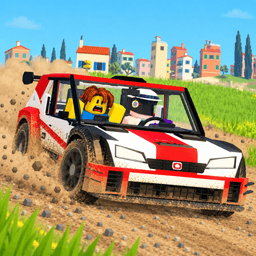 Backseat Rally
 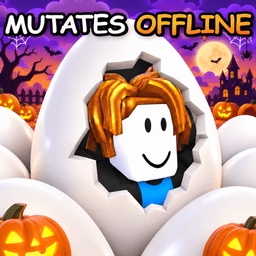 Fake an Egg
  +1 Venom Evolution
 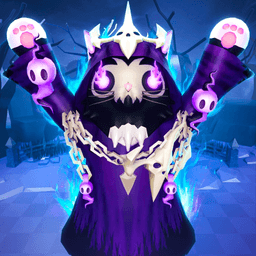 Cat Battles
  Adopt Me
  Driving Empire
  BlockSpin
  Realistic Street Soccer
  Hypershot
  Attack on Titan Revolution
  BloxStrike
  Squid Game X
 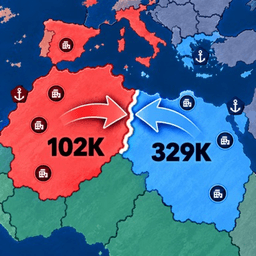 RoFront
  Dead Rails
  Feed a Mosquito
  Creatures of Sonaria
  Ride a Dino
  Dreamville RP
  NFL Universe Football
  Blade Ball
 RoFront Codes at Launch: Nothing to Redeem
RoFront launched on September 26, 2026 with no code system at all. What the first four days looked like for anyone hunting free rewards.
RoFront Codes at Launch: Nothing to Redeem
RoFront went live on September 26, 2026 and pulled a crowd immediately — over twenty thousand concurrent players within days. It also shipped with no code system, which means the launch window was four days of players looking for something that did not exist.
What the launch build had
A shared world map, territory capture, city and factory construction, ports, alliances and a nuclear option. What it did not have was a Codes tab, and the Roblox description said nothing about codes either.
The lists that appeared anyway
Within a week, code pages started showing up with strings for RoFront. They follow a familiar pattern: plausible-looking alphanumeric names, rewards described in generic terms, and no source.
The test is the reward field. Ask what the code pays and whether that thing exists in RoFront. Currency names borrowed from another RTS, items from a different game’s shop — that is how these lists are built, and it takes about ten seconds to spot.
Why a strategy game resists codes
RoFront’s win condition is 80 percent of the world. That is a campaign, not a match, and it means the interesting decisions are all about compounding: which city to take next, whether to spend on factories or an army, when an alliance is worth more than a border.
A code that hands out resources would shorten exactly the phase the game is designed around. That makes a redemption system less likely here than in a cosmetic-driven experience, and it makes the absence less surprising.
What launch week actually offered
Nothing free, and that is fine. The first-week experience in RoFront is about finding a defensible corner of the map and learning how fast income converts into territory — which is the whole game, and it does not need a shortcut.
Redeem in 30 seconds
- 1Launch RoFront and look through the lobby menus; there is no Codes tab in the current build.
- 2Open the game’s Roblox page and read the description; no code has ever been printed there either.
- 3Watch the developer group for update announcements rather than third-party code lists.