
 Sell Fries!
  Bunker vs Verity
  Facecard: Makeup Showdown
  Peel THE Potato
  Break and Steal an Egg
  Tap Simulator REBORN
  AION 2
  Chop A Forest
  Police Chief
  Prehistoric Farm
  Anime Zero
  Dandy's World
  Clash of Critters
  Illegal Soccer
  +1 Stone Skipping
  Jujutsu: Zero
  Blox Fruits
  Anime Vanguards
  Turbo Soccer
  Anime Dice
  Steal An Egg
  Murder Mystery 2
  Steal a Brainrot
  99 Nights in the Forest
  RIVALS
  Fish It!
  Jujutsu Shenanigans
  Pet Simulator 99
  Violence District
  DONT SPLASH
  Fisch
Fisch  Evade
Evade  Animal Hospital (Anomaly)
  Anime Adventures
  Dress to Impress
  Climb For Animals Eggs
  Sol's RNG
  Bee Swarm Simulator
  Cameraman Tower Defense
  Volleyball Legends
  The Hollow
  Murderers VS Sheriffs: Duel
  +1 Speed Keyboard Escape
  DOORS
DOORS  Berry Avenue RP
  Kukirin Life
  Huss Valley
  Bike Universe
  Tower of Hell
  Ragdoll Reality
  LifeTogether RP
  Forsaken
  صيد الضبّان
  Emergency Hamburg
  Fling Things and People
  Realistic Ragdoll Engine
  Backseat Rally
  Fake an Egg
  +1 Venom Evolution
  Cat Battles
  Adopt Me
  Driving Empire
  BlockSpin
  Realistic Street Soccer
  Hypershot
  Attack on Titan Revolution
  BloxStrike
  Squid Game X
  RoFront
  Dead Rails
  Feed a Mosquito
  Creatures of Sonaria
  Ride a Dino
  Dreamville RP
  NFL Universe Football
  Blade Ball
  Sarab
Sarab  Murder Duels
  Ball VS Ball
  Grand Piece Online
  +1 Anime Eyes
  Piggy
Piggy  Tower Defense Simulator
  Grow a Garden
  Survive a Million Monkeys
  Ragdoll Playground
  Drag Drive Simulator
  Steel Fighters
  Ride A Pet
 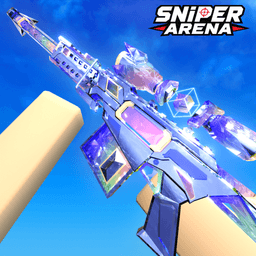 Sniper Arena
  Blue Lock: Rivals
 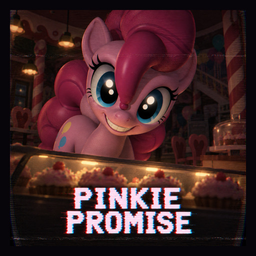 PINKIE PROMISE
 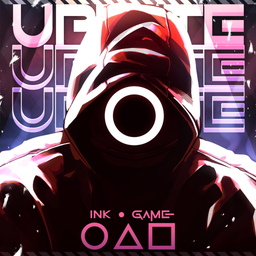 Ink Game
  Slayers 2
  untitled boxing game
  A Dusty Trip
  7 Days Cat-Sitting
  Save the Krusty Krab
 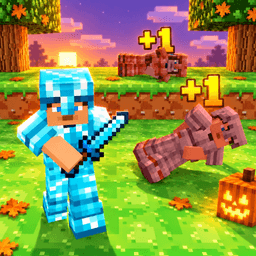 +1 Upgrade Per Kill
  The Forge
 How to Redeem +1 Upgrade Per Kill Codes
+1 Upgrade Per Kill keeps its code field in the lobby shop, and it accepts input between waves rather than mid-run.
Where is the redeem button?
Open the shop in the lobby and look for the codes button beneath the upgrade list.
Full step-by-step guide
- 1 Enter the lobby rather than a run; the shop is not open mid-wave.
- 2 Open the shop and find the codes button under the upgrade list.
- 3 Paste one string and confirm; WELCOME is all caps.
- 4 Check your emerald total afterwards, and look for the Wood Crate in the inventory.
- 5 Spend emeralds on a permanent upgrade rather than a one-run boost.
- 6 Recheck after each update, since this game is new and its codes are still being added.
Steps verified against the current game version. If the UI changes after an update, we refresh this guide.
Codes not working? Try these fixes
The codes button is missing
It sits below the upgrade list, which needs scrolling. If it is genuinely absent, relaunch the game.
block pvp is rejected
The space is part of the string. Without it the code fails, and lowercase is required — capitals will not work.
Where is the Wood Crate?
In the inventory as an unopened item. Opening it gives a random upgrade component rather than emeralds.
Do emeralds carry between runs?
Yes, that is the point of them. They are the meta currency, spent on permanent upgrades that persist across runs.
Who checked these codes
GetGameCodes Editorial Codes desk since 2026
Official channels only, re-checked on a schedule — and anything you report gets tested again.
Covers 100 games · 903 codes · Last sweep
How a code gets on this page
-
Every code points at a source
Each line shows where the code came from and the date we last looked at it. If we cannot point to an official channel for a string, it does not go on the page.
-
Reports downgrade, they do not delete
When several players report the same code failing, it moves to “Worth a try” until it is re-checked. One bad report never buries a code that still works.
-
Three states, no guessing
Active means confirmed working. Worth a try means the source is solid but we have not confirmed it in-game. Expired means it was tried and failed.
How do I redeem +1 Upgrade Per Kill codes?
Launch +1 Upgrade Per Kill on Roblox, open the codes/rewards menu, paste the code exactly as copied (case-sensitive) and submit. Rewards land instantly — the guide below walks through every step.
Where is the redeem button in +1 Upgrade Per Kill?
The codes/rewards button is usually on the side of the main screen or inside the settings menu. If an update moves it, we refresh this guide.
Why is my +1 Upgrade Per Kill code not working?
Most rejections mean the code expired or was mistyped. Codes are case-sensitive and may contain punctuation — paste instead of typing, and check the code detail page for its verified status.
Do +1 Upgrade Per Kill codes expire?
Yes. Official codes usually carry an expiry or usage cap and can be retired at any update. Every code on this site shows its last-verified date — confirm it is Active before redeeming.
Can I redeem +1 Upgrade Per Kill codes on mobile?
Yes. Roblox mobile and PC share the same account, so the steps are identical — copy the code here, switch to the game and paste it in the rewards menu.
How do I fix an "invalid code" error in +1 Upgrade Per Kill?
Confirm the code has not expired, remove any stray spaces, and check whether your account already redeemed it. Codes marked "Worth a try" have conflicting reports — pasting them costs nothing.
The codes button is missing
It sits below the upgrade list, which needs scrolling. If it is genuinely absent, relaunch the game.
block pvp is rejected
The space is part of the string. Without it the code fails, and lowercase is required — capitals will not work.
Where is the Wood Crate?
In the inventory as an unopened item. Opening it gives a random upgrade component rather than emeralds.
Do emeralds carry between runs?
Yes, that is the point of them. They are the meta currency, spent on permanent upgrades that persist across runs.